Showing posts with label Supernatural. Show all posts
Supernatural - Exclusive - Episode 5.01 - Casting Call
Posted by
DarkUFO
at
Saturday, June 20, 2009
+
Supernatural
Supernatural - Jensen Ackles - Season 4 Finale Interview
Posted by
DarkUFO
at
Thursday, June 18, 2009
+
Supernatural
Supernatural - Supernatural - Season 5 Starts 10th September
Posted by
DarkUFO
at
Wednesday, June 17, 2009
+
Supernatural
Supernatural - CW TV to Talk About Promo
Posted by
DarkUFO
at
Saturday, June 13, 2009
+
Supernatural
Supernatural - Exclusive - Episode 5.01 and 5.03 - Casting Call Recurring Guest Star
Posted by
DarkUFO
at
Friday, June 12, 2009
+
Supernatural
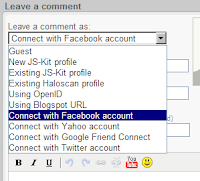
Supernatural - New Comments Feature for Supernatural
Posted by
DarkUFO
at
Thursday, June 11, 2009
+
Supernatural
Supernatural - A 6th Season of Supernatural Confirmed
Posted by
DarkUFO
at
Sunday, June 07, 2009
+
Supernatural
Supernatural - Season 4 DVD Press Release
Posted by
DarkUFO
at
Saturday, June 06, 2009
+
Supernatural
Supernatural - Official Announcement of Season 4 DVDs & Blu-rays Brings Date, Specs & Bonus Material
Posted by
DarkUFO
at
Wednesday, June 03, 2009
+
Supernatural
Supernatural - New Season Promotional Poster
Posted by
DarkUFO
at
Saturday, May 30, 2009
+
Supernatural
Supernatural - The CW's 2009-10 schedule
Posted by
DarkUFO
at
Wednesday, May 20, 2009
+
Supernatural
SpoilerTV Comment Policy
We pride ourselves here at SpoilerTV with the quality, friendlyness and respectfullness of our community.
Name-calling, personal attacks, spamming, excessive self-promotion, condescending pomposity, general assiness, racism, sexism, any-other-ism, homophobia, acrophobia, and destructive (versus constructive) criticism will get you BANNED from the party.
If you have a problem with a comment, DO NOT REPLY TO IT.
Instead Click the Dropdown Icon/Arrow to the right of the offending comment and click the Flag link from the dropdown. Our Moderation Team will then deal with any inappropriate comments.
Banner / Colour Picker
You can use any banner you like to personalise your SpoilerTV.
All you need to do is to put a link to your banner in the box below and press the Click Button.
(For best results your image should be 1090px wide and 200px high.)
We have more banners in our Banner Gallery here or in our Banner Forum post.
Background Colour Picker